11) Quine
Making a genart quine? That’s… certainly a thing!
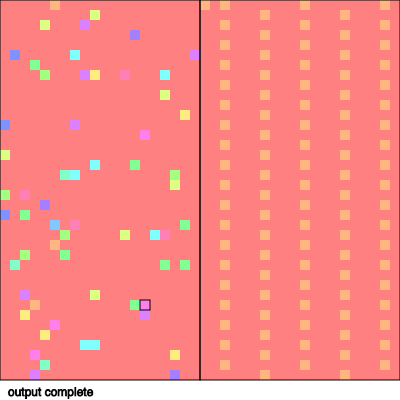
So basically I made a very simple stack based virtual machine. You can check the source code below for what commands it can actually run. It will then run until it outputs enough code to match the input length (or times out). If it happens to output a quine? Woot!
If not, it will randomly mutate and try again.
cellSize - Change how big the program is (default is 10, theoretically with semi quines size shouldn’t matter)ticksPerFrame - How fast the simulation will runasFastAsPossible - Ignore the above and run an entire simulation per frame (it could technically go even faster 😄)pauseAfter - Pause to see what happened after output is done or a breakstopAfter - When a single program has run, stop the main loop (mostly useful for debugging)randomizePercent - How much of the input to randomly change for the next iterationrunOutput - Run the output as the next program (otherwise, randomize the input)highlightActive - Highlight the parts of the program that actually ran (brighter colors)allowSemiQuine - Ignore non-active parts of the program when considering a quine (if you copied the output to the program in these parts, they’d be a quine, so I think it counts)allowReadingCode - Allow (new) commands that allow reading our own source codeallowWritingCode - Allow (new) commands that can modify the code you were originally runningdebugPrint - Print each command run/output to console.log for debuggingdebugSlow - Drops the framerate to 1 fps for debuggingdebugStepButton - Add a ‘step’ button that runs one step at a time (noLoop) for debugging (reload the page)
In addition, you can put in code in the box and ’load’ it to run. This will be helpful to verify quines! I have some interesting code below (including a hand written quine! That uses the self reading instructions).
If you manage to find a quine organically (or write one), I’d love to hear what it was!
read more...