Programming, Topic: Shell Scripting

Recent posts

Syncing Kobo Annotations... again!

Syncing Kobo Annotations... again!

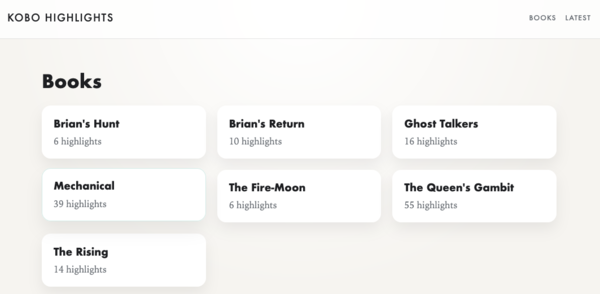
A few months back, I gave a Kobo a try. I’m still really enjoying it. At the time, I was using a script on the Kobo + Dropbox to sync annotations. But it was a little heavy (to send the entire database) and tended to fail silently. Plus, I had to use a second script to take the exported database and actually turn it into Markdown I could easily read and share.

So I took a chance to make that a bit better!

The code for this is available on Github here: https://github.com/jpverkamp/kobo-highlights/
read more...

Syncing Kobo Annotations

I’ve recently been trying out a Kobo. Amazon has some issues and Kindles are hard to do any amount of customization to, let’s just leave it at that.

So what fun tricks can one do with a Kobo?

Well, for one, it’s a Linux system. And if you attach it to your computer, you get access to a lot of the local filesystem. This includes the SQLite database holding all of teh system metadata, along with places to install all sorts of interesting scripts.

One that I’ve been wanting in particular is the ability to extract my annotations. It’s a great way to review books. Highlight, write a note, and then export right at the end.

So how do you do that on a Kobo?


read more...

Making Fish Shell Smile

Making Fish Shell Smile

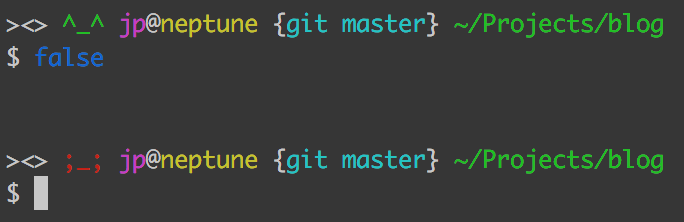
When working in a shell, from time to time, I need to know if a command succeeded or failed. Sometimes, it’s easy:

$ make noise

make: *** No rule to make target `noise'.  Stop.

Sometimes, less so:

$ grep frog podcasts.json > podcasts-about-frogs.txt

Since, alas, I don’t have any podcasts about frogs, that command would fail silently. But that’s fixable!

$ grep frog podcasts.json > podcasts-about-frogs.txt

$ # Bash/Zsh
$ echo $?
1

$ # Fish
$ echo $status
1

read more...


All posts