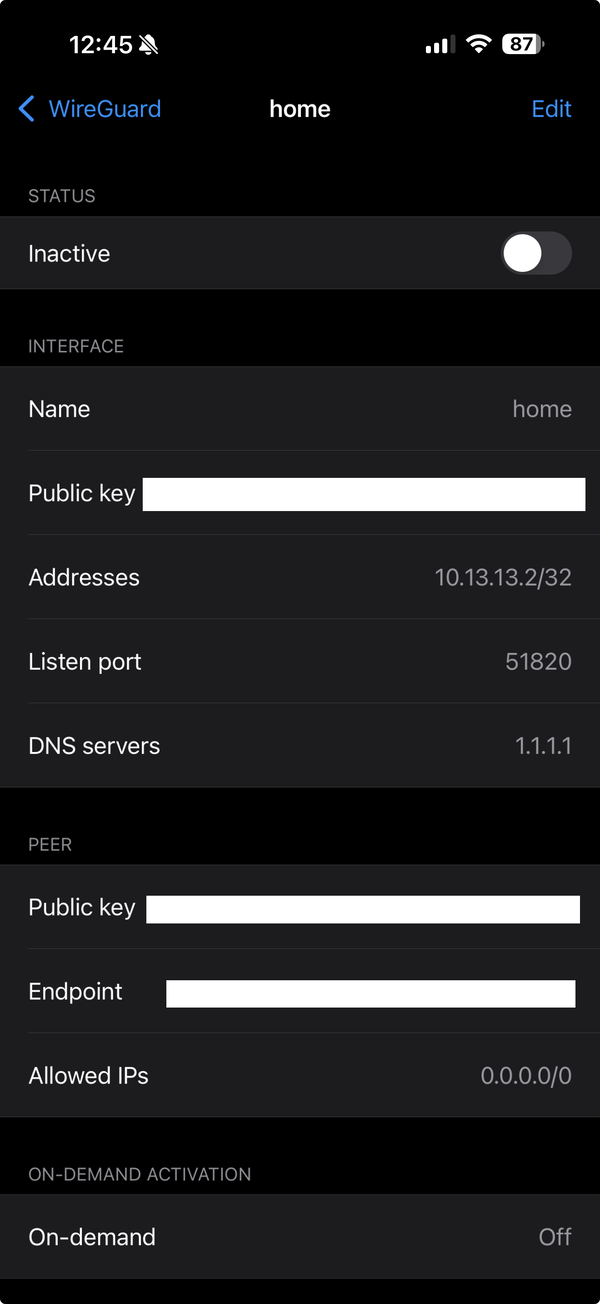
A note so that if anyone ever haves this same bit of weirdness, hopefully they might stumble across this. I had a heck of a time searching for this…
So, I have Wireguard set up on my home server along with various services that are designed to only be accessible locally.
If I want to use my home connection/Wireguard from my phone (iOS), this is easy enough to deal with:

Everything works just fine.
However, I found that this connection was sometimes not working, especially if I was on a cellular connection or switching connections. The connection would just hang until I either switched to the full tunnel or turned it off entirely (and made it home).
I tried all manner of switching around the Allowed IPs, adding 10. ranges (for the Wireguard IPs), other private ranges, leaving off specific IPs, all of it.
But what did it take in the end?

Note the difference?
I had to tunnel the DNS.
I believe that this is an iOS specific security behavior–I have public DNS addresses that resolve to a private IP range. It works fine for me and won’t work for anyone else–they’ll go to whatever their local private network is. But iOS (rightfully) thinks that might be a security hole and wouldn’t let the DNS resolve for me–unless I also tunnelled the DNS server (for now I’m using 1.1.1.1 for that; I’m hoping to self host that as well some day).
So if you have: an on-demand wireguard tunnel on iOS with a limited Allowed IPs range and a custom DNS set up, you may just need to tunnel the DNS.
Oy that was a fun one.
But it’s been working absolutely fine for a month now, so all is well. Onward!