Recent posts
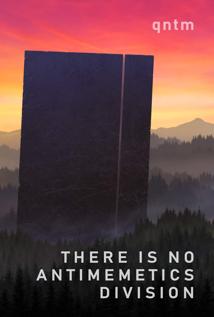
Welcome to the Antimemetics Division. No, this is not you first day.
So… basically SCP Foundation fanfic gone solo?
Which makes it sound so much worse than it is. It’s really an absolutely bundle of fascinating ideas, a nice heap of existential dread, and an at times rough/how in the world are we getting out of this one plot.
I enjoyed it.
In a nutshell, we have a mysterious secret society that is dealing with the supernatural and just plain unexplainable parts of the world.
read more...
Whatever you’re into is some fascinatingly weird shit.
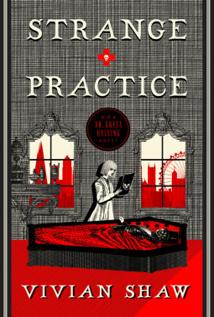
It’s always interesting what jobs the point of view of an urban fantasy book has. In the Dresden Files, we start out with a Private Investigator. In the Mercy Thompson books, a mechanic. In Rivers of London, a cop.
In Strange Practice, we have a doctor (of the supernatural).
“You are not humans," she said at last, “but you are people . All of you. The ghouls, the mummies, the sanguivores, the weres, the banshees, the wights, the bogeys, everyone who comes to me for help, everyone who trusts me to provide it. You are all people , and you deserve to to be able to seek and receive that care without putting yourselves in jeopardy. What I do is necessary, and while it isn’t in the slightest bit easy, it is also the thing I want to do more than anything else in the world.”
read more...
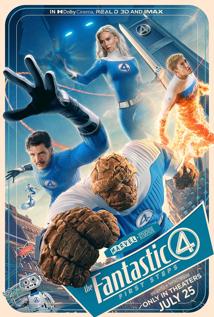
How many Fantastic Four movies is that, just since 200? Four?
I think I’ve actually seen them all. One even had a sequel And I’m not sure I can remember anything from any of them really.
This one has a nice cast, a fun, well done retro-futuristic aesthetic, found family, and some future/world building potential. It’s not the best MCU movie by any standard, but I think it might just be the best Fantastic Four film.
read more...
Yelena Belova: There’s something wrong with me. An emptiness. I thought it started when my sister died, but now it feels like something bigger. Just a void. Or maybe I’m just bored.
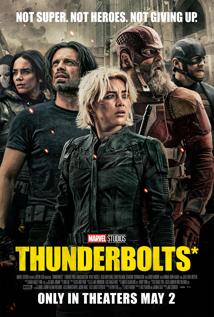
The Marvel Cinematic Universe has been a little rough for a while. A few good movies, but mostly, everything mostly feels by the book.
Thunderbolts*… is a surprisingly good movie.
It could have been forgettable. More action movie/big skybeam showdown/forgettable mirror villains. It could have been Marvel’s answer to The Suicide Squad (either really).
read more...
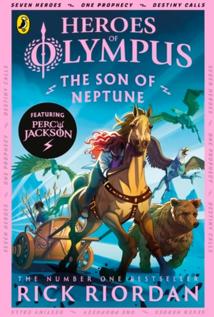
The Lost Hero followed newcomer Jason Grace as he shows up at Camp Half-Blood, lacking in memories and with a touch of … Rome about him.
So of course, now in The Sons of Neptune we get the other side of the story.
Percy Jackson, also with memories missing, finds his way to Camp Jupiter instead. What if Camp Half-Blood, but Roman. And based on legion, with a much more militaristic point of view. It’s a really fascinating bit of world building–which we only had hints of in The Lost Hero–but I really do love how it expands this universe. Seeing different aspects of the gods we’ve been introduced too–and finding the ones that have no Greek counterparts.
read more...
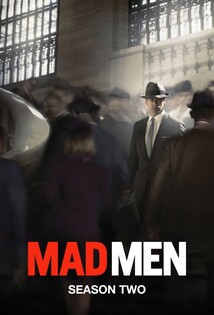
Yeah, I know. Something of a tortured title.
It’s fun looking at train tracks though. I had no idea that they were as irregular as they are. Variations in spacing and alignment all over the place.
I think that’s probably about enough Mad Men.
I’m still not entirely sure what people see in this show. Perhaps it’s coming from my (strong) preference for sci-fi and fantasy–worlds that really make me stretch, things that aren’t quite so real. Perhaps it’s the fact that no one in the show is really a particularly good person.
On a more positive note, I feel like more happened this season. And some of it was kind of crazy. Relationship drama in the Draper household (for good reason). Relationship drama with just about everyone else. Don just… taking off in California, with flashbacks filling in more of that backstory. Corporate drama shaking up the office politics.
read more...
♬ ♬ ♬
Way down Hadestown
Way down under the ground
♬ ♬ ♬
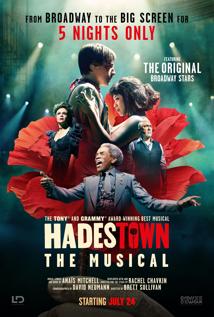
Hadestown is such a great show.
I first discovered the music a few years ago and listened to it almost non-stop. Then last year, I had a last minute chance to travel to New York and happened into last minute (excellent) tickets to see it on Broadway. Barely any of the original cast, but it’s still an awesome show.
read more...
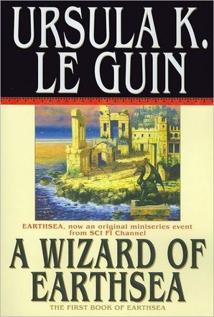
You thought, as a boy, that a mage is one who can do anything. So I thought, once. So did we all. And the truth is that as a man’s real power grows and his knowledge widens, ever the way he can follow grows narrower: until at last he chooses nothing, but does only and wholly what he must do…
A Wizard of Earthsea is a relatively simple coming of age story about Ged. He starts out as a young boy, full of ideas and power, making a name for himself young. Then he takes one step too far, summons a dark being from outside of the world… and then he spends the rest of the book dealing with that.
read more...
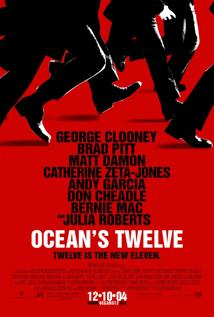
Ocean’s Eleven was great. A straight forward heist (at least in what their goal was) with enough twists about how they got it done that really drug you through the movie. All held up by an excellent (and stacked) cast and a ton of banter.
Ocean’s Twelve has pretty much the same cast, which I loved. But the heist makes so much less sense this time around. They do try to justify it (Benedict wants his money back), but it just feels a lot more disjoint. And the final twist, much less earned.
read more...
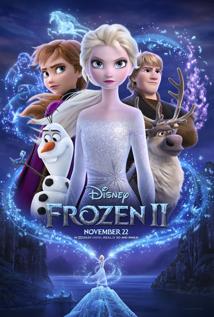
Well, it’s not quite Frozen, but you know? I’m glad they really went for something ambitious!
It’s the same world. One kingdom (really one city on the coast). Sisters, one with powers and a queenship and the other with … an impressively positive attitude? Also, reindeer, a living snowmen, and now… elemental powers, mystical fog shrouded woods, and a voice calling out from … somewhere?
Olaf: I bet you’re wondering who we are and why we’re here. It’s really quite simple. It began with two sisters. One born with magical powers, and one born powerless, with her love of snowmen, infinite.
read more...
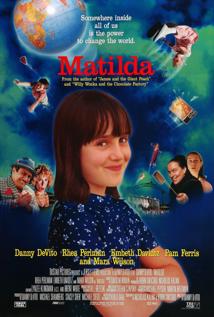
Matilda: Daddy, you’re a crook.
Harry Wormwood: What?
Matilda: This is illegal.
Harry Wormwood: [hands the car drill to Mikey, then walks to Matilda] You make money? Do you have a job?
Matilda: No, but don’t people need good cars? Can’t you sell good cars, Dad?
Harry Wormwood: Listen, you little wiseacre: I’m smart, you’re dumb; I’m big, you’re little; I’m right, you’re wrong, and there’s nothing you can do about it.
read more...
Twenty years later, another trip to Alaska. We met my parents (who were on a two month trip of their own) for one week. And oh, what a place for taking pictures Alaska is.
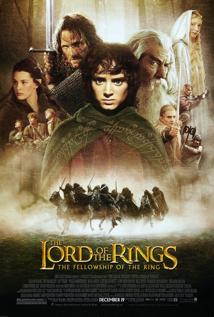
Another long flight back? The perfect time to rewatch the Lord of the Rings.
Or perhaps just one of them–with the Extended Edition. Man those are long movies (especially in that version).
And man, I forgot just how awe inspiring those movies are.
It all began with the forging of the Great Rings.
It’s the tale of a little man (literally in this case) on a mission oh so very much larger than him–and even larger still; than perhaps he realizes.
read more...
Our last full day. A bit quieter. We went to a museum and a store with a chocolate fountain.
Such a great trip. I’m ready to head home.
Back through Portage to hike again on our way to Anchorage. We made it to Blue Ice Trail and Byron Glacier Trail. Very cool. Literally.
Our one full day in Homer. We went out to the tidal flats. It wasn’t quite like I expected, but still neat. Also out to the Spit in the evening.
We went to the Sealife Center in Seward before the (long) drive to Homer. Along the way, we stopped in Soldotna, which happened to be having a festival. That was a fun surprise.
Out into the ocean. We saw a decent amount of sea life, including three humpbacks (1 calf!), puffins, and seals.
The part out on the more open ocean was so rough. Just about everyone got sick to various extents.
A hike at Exit Glacier and pictures at the marina.
Recent posts by category
Click a category to see all posts in that category, or click the RSS icon to subscribe to that category's RSS feed.
It started more than a decade ago now (2012!). I was catching up to 30 new releases in a year in theaters and reviewing them. Then at some point (2014), life happened and I didn’t make it to the theater as much anymore.
After that, starting in 2015, I realized I could do the same thing with books! And I started writing a review of every book I read. And I read a lot. Since then, I’ve reviewed over 1300 books–and I still have over 1000 on my to read list. So that isn’t likely to stop any time soon.
It’s mostly fantasy and to a lesser extent scifi, although I do get a few horror novels in there, along with a couple non-fiction or poetry anthologies a year. I’m always looking for more to add though. Hit me up!
Then, starting in 2021, I started again with the movie reviews, this time mostly ignoring what was in theaters, instead watching whatever seemed interesting, much like my book reviews. And this time, I added TV reviews as well.
And… here we are. Really, it’s as much a memory aid for me as anything. I love being able to look back at all the covers I read in a year, pick one at random, and use my own writing to remind me of a particular book/movie/show. And if anyone else is inspired to read something out of it? Well, all the better!
Current book bingo: 2025 Book Bingo
I’ve always had a soft spot for photography. I borrowed my mother’s camera in high school and eventually bought my own. These days, I mostly use my phone (it’s amazing how good those have gotten), but I still pull out my years old DSLR from time to time.
Mostly, I have pictures organized by photosets, but I’ve started adding a few ‘meta sets’ like Mini Worlds, Bugs etc (macros), and Fungus Among Us.
Recent Photos
The earliest memory I have of ‘programming’ is in the early/mid 90s when my father brought home a computer from work. We could play games on it … so of course I took the spreadsheet program he used (LOTUS 123, did I date myself with that?) and tried to modify it to print out a helpful message for him. It … halfway worked? At least I could undo it so he could get back to work…
After that, I picked up programming for real in QBASIC (I still have a few of those programs lying around), got my own (junky) Linux desktop from my cousin, tried to learn VBasic (without a Windows machine), and eventually made it to high school… In college, I studied computer science and mathematics, mostly programming in Java/.NET, although with a bit of everything in the mix. A few of my oldest programming posts on this blog are from that time.
After that, on to grad school! Originally, I was going to study computational linguistics, but that fell through. Then programming languages (the school’s specialty). And finally I ended up studying censorship and computer security… before taking a hard turn into the private sector to follow my PhD advisor.
Since then, I’ve worked in the computer security space at a couple of different companies. Some don’t exist any more, some you’ve probably heard of. I still program for fun too, and not just in security.
But really, I still have a habit of doing a little bit of everything. Whatever seems interesting at the time!
… other things I currently haven’t put into a category!
I love to take things apart and put them back together. It’s one of the reasons I work in computer security for a living. But more recently, the dropping prices of 3D printing and entirely not dropping prices of wood working have led to a few new hobbies. :D
Another hobby I’ve been getting into more recently is Home Automation! Previously these posts would have been in Other, but it’s nice to have them all in one place.
I am a writer–I just don’t always remember it.
I wrote my first novel in 2011. I’ve started 14 more since then, finishing about half of those. One of these days I’ll actually try to find someone to publish them (or just do it myself). Onward!
(If anyone would like to be a beta reader, feel free to drop me a line).
Once upon a time, I was on track to get a PhD in censorship/computer security.
I was ABD (all but dissertation) when my advisor decided to leave and go into the private sector. When that happens… you either find a new advisor or you go with them. I decided to go with them, move to Silicon Valley, and join a startup. It was perhaps the best thing that could have happened to me. While I sometimes regret not having the extra letters after my name, I love the practicality of working in the ‘real world’. Not to mention the job prospects are better. :)
So for the most part, these posts are archival, but there are still a few gems in there.